Filters
Pixlet provides a number of image filters that can be applied to widgets. Most filters are wrappers around the bild library.
To use these filters, you need to load the filter module:
Blur
Blur applies a Gaussian blur to the child widget.
Attributes
| Name | Type | Description | Required |
|---|---|---|---|
child |
Widget |
The widget to apply the blur to. | Y |
radius |
float / int |
The radius of the Gaussian blur. | Y |
Example

Brightness
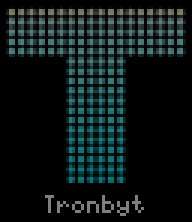
Brightness adjusts the brightness of the child widget.
Attributes
| Name | Type | Description | Required |
|---|---|---|---|
child |
Widget |
The widget to adjust brightness for. | Y |
change |
float / int |
The amount to change brightness by. -1.0 is black, 1.0 is white, 0.0 is no change. | Y |
Example
Contrast
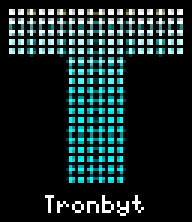
Contrast adjusts the contrast of the child widget.
Attributes
| Name | Type | Description | Required |
|---|---|---|---|
child |
Widget |
The widget to adjust contrast for. | Y |
factor |
float / int |
The factor to adjust contrast by. -1.0 is gray, 1.0 is no change, > 1.0 increases contrast. | Y |
Example
EdgeDetection
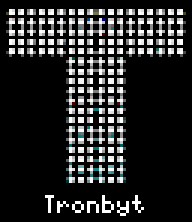
EdgeDetection applies an edge detection filter to the child widget.
Attributes
| Name | Type | Description | Required |
|---|---|---|---|
child |
Widget |
The widget to detect edges on. | Y |
radius |
float / int |
The radius of the edge detection kernel. | Y |
Example
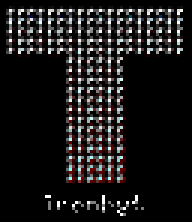
Emboss
Emboss applies an emboss filter to the child widget.
Attributes
| Name | Type | Description | Required |
|---|---|---|---|
child |
Widget |
The widget to emboss. | Y |
Example
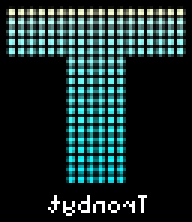
FlipHorizontal
FlipHorizontal flips the child widget horizontally.
Attributes
| Name | Type | Description | Required |
|---|---|---|---|
child |
Widget |
The widget to flip. | Y |
Example
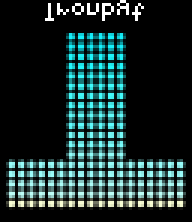
FlipVertical
FlipVertical flips the child widget vertically.
Attributes
| Name | Type | Description | Required |
|---|---|---|---|
child |
Widget |
The widget to flip. | Y |
Example
Gamma
Gamma applies gamma correction to the child widget.
Attributes
| Name | Type | Description | Required |
|---|---|---|---|
child |
Widget |
The widget to apply gamma correction to. | Y |
gamma |
float / int |
The gamma value. 1.0 is no change, < 1.0 darkens, > 1.0 lightens. | Y |
Example
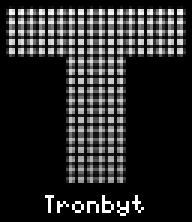
Grayscale
Grayscale converts the child widget to grayscale.
Attributes
| Name | Type | Description | Required |
|---|---|---|---|
child |
Widget |
The widget to convert to grayscale. | Y |
Example
Hue
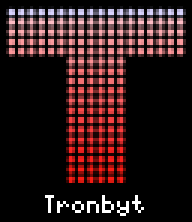
Hue adjusts the hue of the child widget.
Attributes
| Name | Type | Description | Required |
|---|---|---|---|
child |
Widget |
The widget to adjust hue for. | Y |
change |
float / int |
The amount to change hue by in degrees. | Y |
Example
Invert
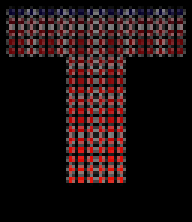
Invert inverts the colors of the child widget.
Attributes
| Name | Type | Description | Required |
|---|---|---|---|
child |
Widget |
The widget to invert. | Y |
Example
Rotate
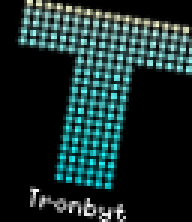
Rotate rotates the child widget by the specified angle.
Attributes
| Name | Type | Description | Required |
|---|---|---|---|
child |
Widget |
The widget to rotate. | Y |
angle |
float / int |
The angle to rotate by in degrees. | Y |
Example
Saturation
Saturation adjusts the saturation of the child widget.
Attributes
| Name | Type | Description | Required |
|---|---|---|---|
child |
Widget |
The widget to adjust saturation for. | Y |
factor |
float / int |
The factor to adjust saturation by. 0.0 is grayscale, 1.0 is no change, > 1.0 increases saturation. | Y |
Example
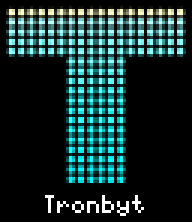
Sepia
Sepia applies a sepia filter to the child widget.
Attributes
| Name | Type | Description | Required |
|---|---|---|---|
child |
Widget |
The widget to apply sepia to. | Y |
Example
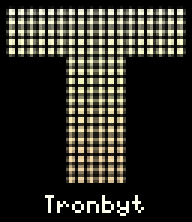
Sharpen
Sharpen sharpens the child widget.
Attributes
| Name | Type | Description | Required |
|---|---|---|---|
child |
Widget |
The widget to sharpen. | Y |
Example
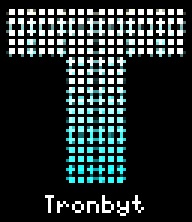
Shear
Shear shears the child widget horizontally and/or vertically.
Attributes
| Name | Type | Description | Required |
|---|---|---|---|
child |
Widget |
The widget to shear. | Y |
x_angle |
float / int |
The angle to shear horizontally in degrees. | N |
y_angle |
float / int |
The angle to shear vertically in degrees. | N |
Example

Threshold
Threshold applies a threshold filter to the child widget, making it black and white.
Attributes
| Name | Type | Description | Required |
|---|---|---|---|
child |
Widget |
The widget to apply threshold to. | Y |
level |
float / int |
The threshold level, from 0 to 255. | Y |
Example